










Travel eSIM for 205+ countries
Get online the moment you land. No roaming bills, no SIM swap, no airport kiosk.
 United States
 Europe
Money-back guaranteeApple Pay & Google PayNo account needed
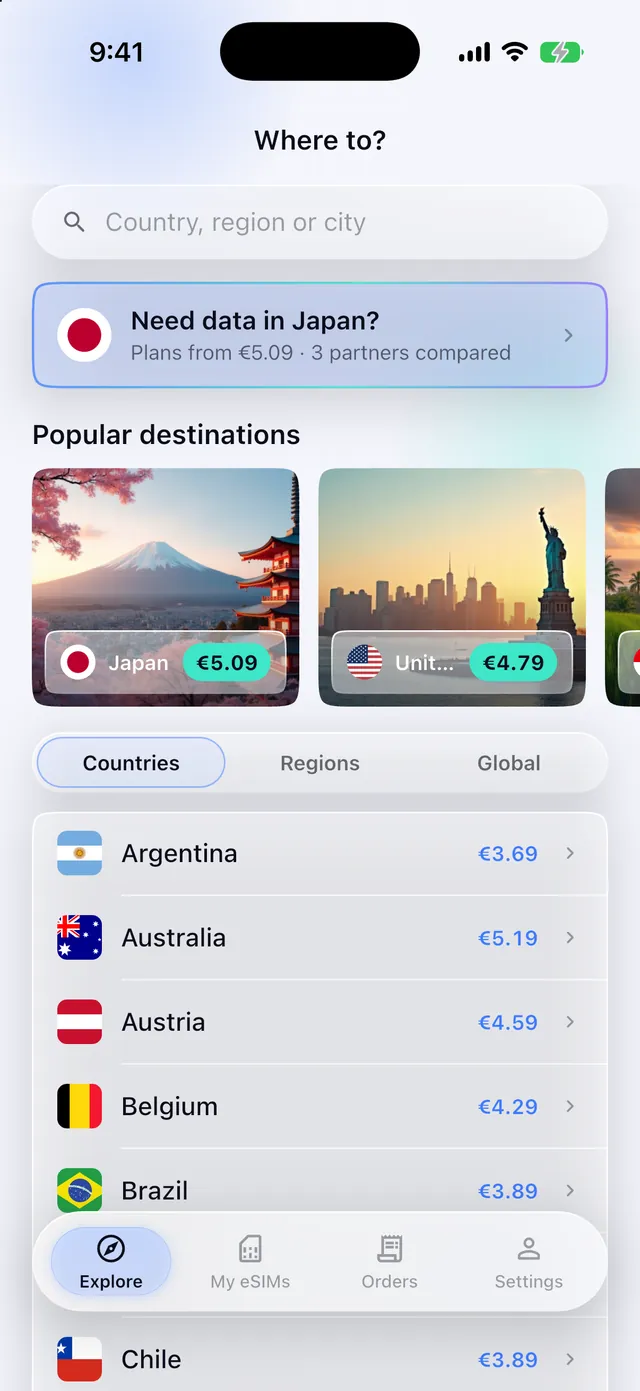
Install your eSIM in one tap, watch your data and top up mid-trip. You never need it to buy, but travelling is easier with it.


Popular eSIM destinations
Tap a country for plans, coverage and live pricing - or browse all 205+ destinations.










One eSIM, many borders
Crossing borders? Regional plans keep you connected across a whole continent on a single eSIM - no swapping, no buying again.


Connected in three steps
From checkout to coverage in under a minute. No store visit, no paperwork, no swapping tiny plastic cards.
Pick your plan
Choose a data plan for your destination - single country, region, or global. Pay in seconds with Apple Pay, Google Pay or card.
Install in a tap
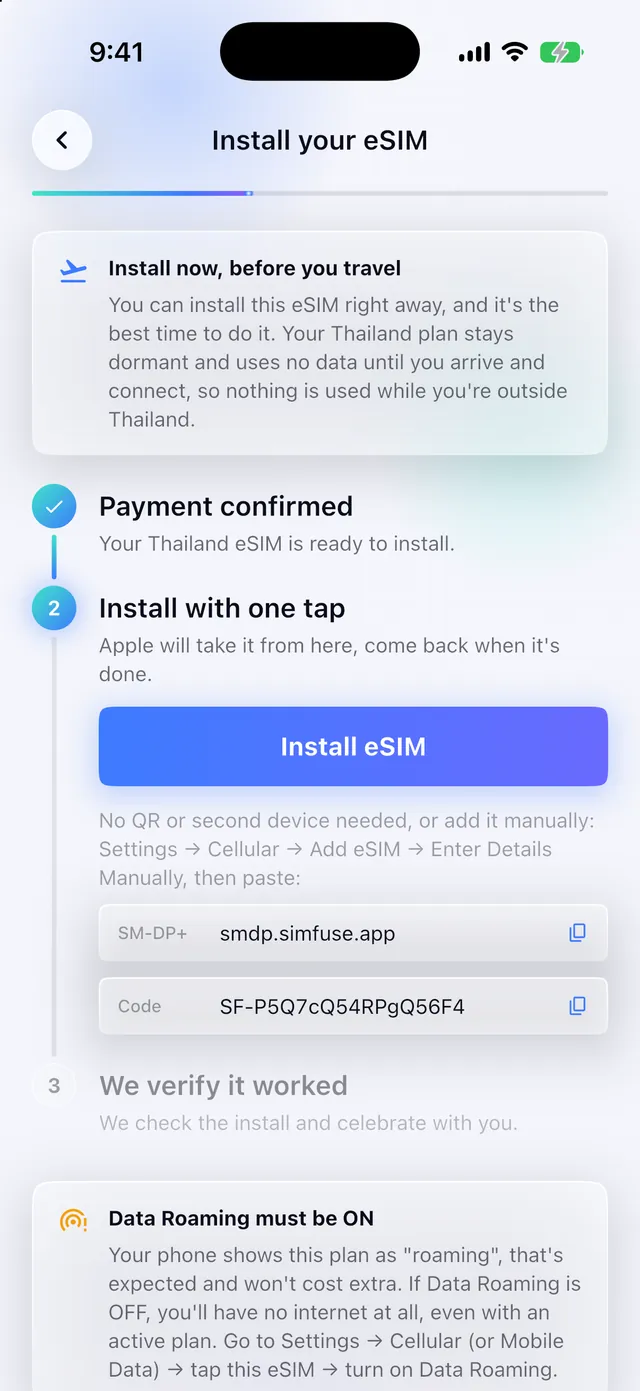
Your eSIM arrives by email, usually in seconds. Scan the QR code or install from the SimFuse app, on Wi-Fi before you fly.
Land and connect
Your eSIM activates automatically when you arrive. No SIM kiosk, no roaming bill - just open your maps and go.
Why travellers choose SimFuse
Instant delivery
Your eSIM lands in your inbox and app the second you pay. Install before you leave home and you're ready on arrival.
No roaming bills
One clear upfront price. Never come home to a surprise roaming charge from your home carrier again.
Fast local networks
We connect you to the leading 4G/5G networks in every destination - 1279+ partners worldwide.
Top up in seconds
Running low? A top-up adds data to the eSIM you already have, with no reinstalling and no new QR code. Each top-up option states its own validity.
Keep your number
Your home SIM stays active for calls and texts. The eSIM just handles your data while you travel.
Honest per-GB pricing
Transparent per-GB pricing in your own currency, with Apple Pay and Google Pay at checkout. No hidden conversion fees.
eSIM vs roaming vs local SIM
| SimFuse eSIM | Home roaming | Local SIM card | |
|---|---|---|---|
| Get connected on arrival | ✓ | ✓ | - |
| No roaming bill shock | ✓ | - | ✓ |
| Keep your own number | ✓ | ✓ | - |
| Buy before you travel | ✓ | ✓ | - |
| No queue at the airport | ✓ | ✓ | - |
| Top up from your phone | ✓ | - | - |
Buy anywhere, manage it in the app
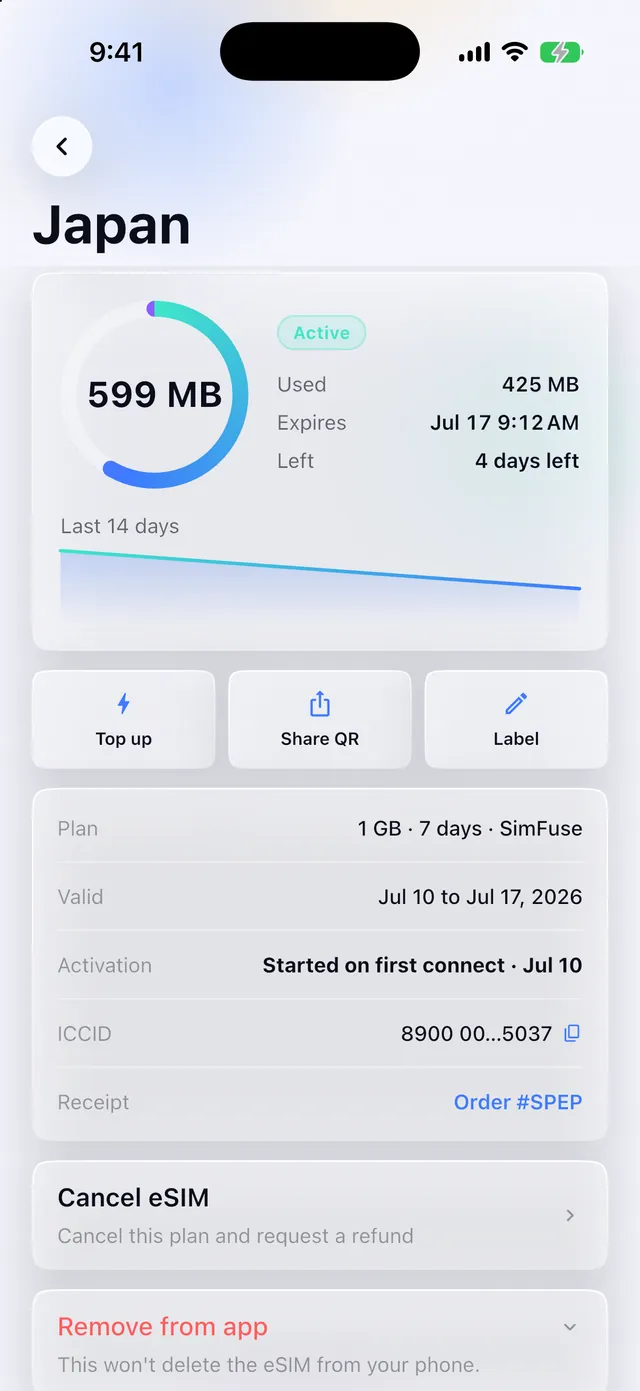
You never need the app to buy an eSIM. You will want it afterwards: live data usage, one-tap top-ups before you run out, and every eSIM you own in one place.
- See your data as you use it
A live usage ring and a 14-day history, so you know whether that 1 GB will really last the week.
- Top up in two taps
Running low mid-trip? Add data to the eSIM you already have. No reinstall, no new QR code.
- Install without a QR code
One tap adds the eSIM to your phone. No second screen to scan from, no digging through Settings.
Prefer to buy in Telegram?
Message @SimfuseBot and buy your eSIM without leaving the chat. No app to download, no account to create, same plans and prices as here.
New to eSIMs? Start here
Short, practical guides on choosing, installing and using a travel eSIM.
Frequently asked questions about eSIMs
Go to help centerAn eSIM is a digital SIM profile you install from a QR code, with no plastic card to insert. Buy a plan, install it over Wi-Fi before you fly, and it connects when you land. Your home SIM stays in the phone, so your own number keeps working. How eSIMs work, in full →
Check your exact model and regional version in the compatibility guide, then look for 'Add eSIM' in your phone's settings. The phone also has to be carrier-unlocked. Brand and release year are not enough on their own, because some regional versions of an eSIM-capable model ship without it. Check your exact phone model →
Open Settings → Cellular or Mobile Data → Add eSIM, then scan the QR code from your confirmation email while on Wi-Fi. It takes about two minutes. Install before you fly: the clock starts when you first connect at your destination, not when you install. Step-by-step install guide →
On arrival. The clock starts when the eSIM first connects to a network inside the plan's coverage, not when you pay and not when you install, which is what makes installing at home over Wi-Fi safe. Buy ahead if you like, and connect for the first time within a year of purchase.
eSIM guides
Your next trip starts with a tap
Join travellers in 205+ countries who stay connected with SimFuse. eSIM by email in seconds, no roaming, no surprises.